See how a move works
Short demonstrations and board pictures make the idea visible. Listen again whenever you need.

CHESS WITH TINKER
Learn the pieces. Spot a clever move. Play a whole game. A guided introduction to chess, with pictures, replayable audio, and room to try again.
No sign in for the sample. Parents arrange enrolled course access.
A SMALL STEP AT A TIME
Short demonstrations and board pictures make the idea visible. Listen again whenever you need.
Practice a position, answer a question, then use the course quiz for a recorded result.
Try a project on a real board, play Tinker, or invite a friend who has course access.
THE LEARNING PATH
Set up your board and explain how a game begins.
Name all six piece types and find their starting squares.
Show piece movement, blocking, and pawn captures.
Distinguish check, checkmate, and stalemate, and practice special moves.
Use the center, develop pieces, and plan king safety.
Find two targets in a fork and explain two kinds of pin.
Explain which piece moves and which piece attacks.
Use safe king activity and plan pawn promotion.
Prove checkmate by checking every legal defense.
Read square names and replay a short move record.
Play a game and explain a specific choice.
Bring together setup, legal moves, tactics, and notation.
PRACTICE WITH A PURPOSE
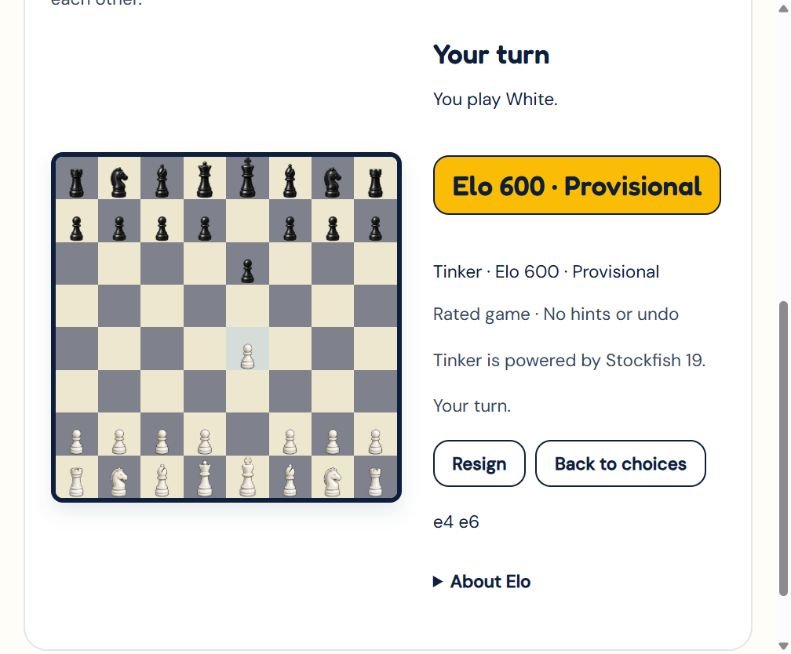
Stockfish 19 powers new computer games on our hosting. Tinker selects an opponent level close to the child’s Elo and keeps it fixed during the game.
Elo changes with results. Computer ratings begin as course estimates and settle through play. They are separate from official tournament ratings.
Engine information and licenceCreate a private room, share its code, and take turns on your own devices. Both players need a course account. The chess game has no public lobby or chat.
Choose Same device for a game beside a parent or friend. Undo is available, and Elo does not change.
WHAT LEARNING LOOKS LIKE
Set up pieces, name squares, and explain how each piece moves.
Keep a king safe, recognize check, and explain a simple tactic.
Play a game and describe one choice to keep and one to improve.
These are course learning goals, not claims of measured improvement or a promised Elo gain. We collect pilot feedback before publishing learner outcomes.
Parent and teacher feedbackSTART WITH THE SAMPLE
The public lesson is free. Eligible Tinker Sparks camps include Chess module access. Confirm your program’s inclusion with us.
For standalone access, contact us for current availability and terms. This page does not take a payment or create a student account.
Sign in with your Tinker Sparks account to open lessons, quizzes, and rated play.
Open my Chess courseFOR PARENTS
The course introduces chess to children with no prior experience. Tinker Sparks program tracks cover ages 4 to 13. Younger learners should work with a grown up. Try the sample to judge readiness.
A current browser, an internet connection, and a phone, tablet, or computer. Sound is optional. A physical chessboard is useful for projects, but is not required for the sample lesson.
Yes. Tinker uses Stockfish 19 on our hosting. The course chooses a computer level close to the child’s Elo. Difficulty stays fixed during a rated game. Opponent ratings are course estimates, not official tournament ratings.
Yes. Both players sign in to the Chess course. One creates a private game and shares a room code or invitation link. The other joins from another device. There is no public opponent lobby or chat in the chess game.
Elo measures playing strength from wins, losses, draws, and opponent ratings. It can go up or down. The first 10 rated games are provisional. Rated computer and human games use one Elo. Same device practice does not affect it.
The enrolled course records results through its Moodle quizzes and configured completion rules. Sample lesson answers stay in the current page and do not submit a grade. Elo is separate from quiz grades.
The sample lesson is free. Eligible camp programs include Chess module access, as described in the camp information. Ask us to confirm eligibility or standalone access before enrolling. There is no standalone checkout or price advertised on this page.
No Chess.com or Stockfish account is needed. Enrolled students use their Tinker Sparks course account. Parents should arrange access and review the privacy information.
Our self hosted engine uses the chess position, moves, and difficulty settings. It does not need names, emails, passwords, or ages. The learning platform separately manages accounts, progress, and ratings. Read our privacy policy for platform information.
The board layout has been checked in a browser at phone widths, including 375 pixels. Physical iPhone and Android testing is still part of rollout verification. Try the sample on your own device and tell us if a control does not work.